About RadianceView
RadianceView is the inspection-grade visualization platform built by
Laan Labs. It brings mobile 3D scans, traditional LiDAR, Gaussian splats and high-resolution
photography together into a single visual record that opens in a browser. Teams use it to inspect,
measure and report on an asset without being on site, with every finding tied to the place it was
seen.
This case study shows the platform at work on retired airliners.
Why Scan an Aircraft That Is About to Be Taken Apart
An airliner flies for twenty to thirty years. When it is retired it is still full of value: landing
gear, doors, avionics, and tonnes of aerospace-grade sheet metal and composite panel.
There are three things that can happen to that material, in descending order of value:
- Reuse. A component is removed, inspected, certified and returned to service on another
aircraft.
- Remanufacture. A sheet metal part or panel is cut and re-formed into a new part, keeping the
value of the original material instead of reducing it to raw stock.
- Recycle. What is left is shredded or melted down as secondary raw material.
Every part that moves up that list is a part that does not have to be made from new material. The
obstacle is rarely the metal. It is the information.
To reuse or remanufacture a part, someone has to know what it is, where it sat in the aircraft,
what it is made of and what condition it is in. After decades of maintenance, repair and
modification, the aircraft on the apron no longer matches its drawings. And once dismantling
starts, the evidence is gone. A panel on a pallet cannot tell you which frame it was fastened to.
So the aircraft has to be documented as it stands, before the first part comes off, and each part
has to carry its record with it.
The Project
Laan Labs is providing capture and visualization for work on the reuse and remanufacturing of
parts from end-of-life aircraft. Our part is the visual record: documenting retired airliners,
inside and out, in a form that engineers who are not on site can inspect.
We did it with RadianceView, the inspection-grade visualization
platform we built, and with two capture tools: a 3D scanner and an iPhone.
Two Instruments, Two Jobs
| 3D scanner | iPhone |
|---|
| Captures | The whole asset in one pass | One section or one part at a time |
| Result | A Gaussian splat at true scale | Photographs at full camera resolution, each placed in 3D |
| Answers | Where is it? What is around it? | What is it? What condition is it in? |
| Who uses it | A capture specialist, on a planned visit | Anyone on the dismantling floor, at any time |
The scanner gives context. It records the airframe, the structure and the position of everything in
it, and that record is what lets a remote engineer find their way around.
The iPhone gives evidence, and for part reuse that is the half that matters most.
Why the iPhone Matters
It is already there. Dismantling takes weeks. A scanner visit captures the aircraft on one day.
The phone is in a technician's pocket on every other day, including the moment a panel is unfastened
and its hidden side is seen for the first time.
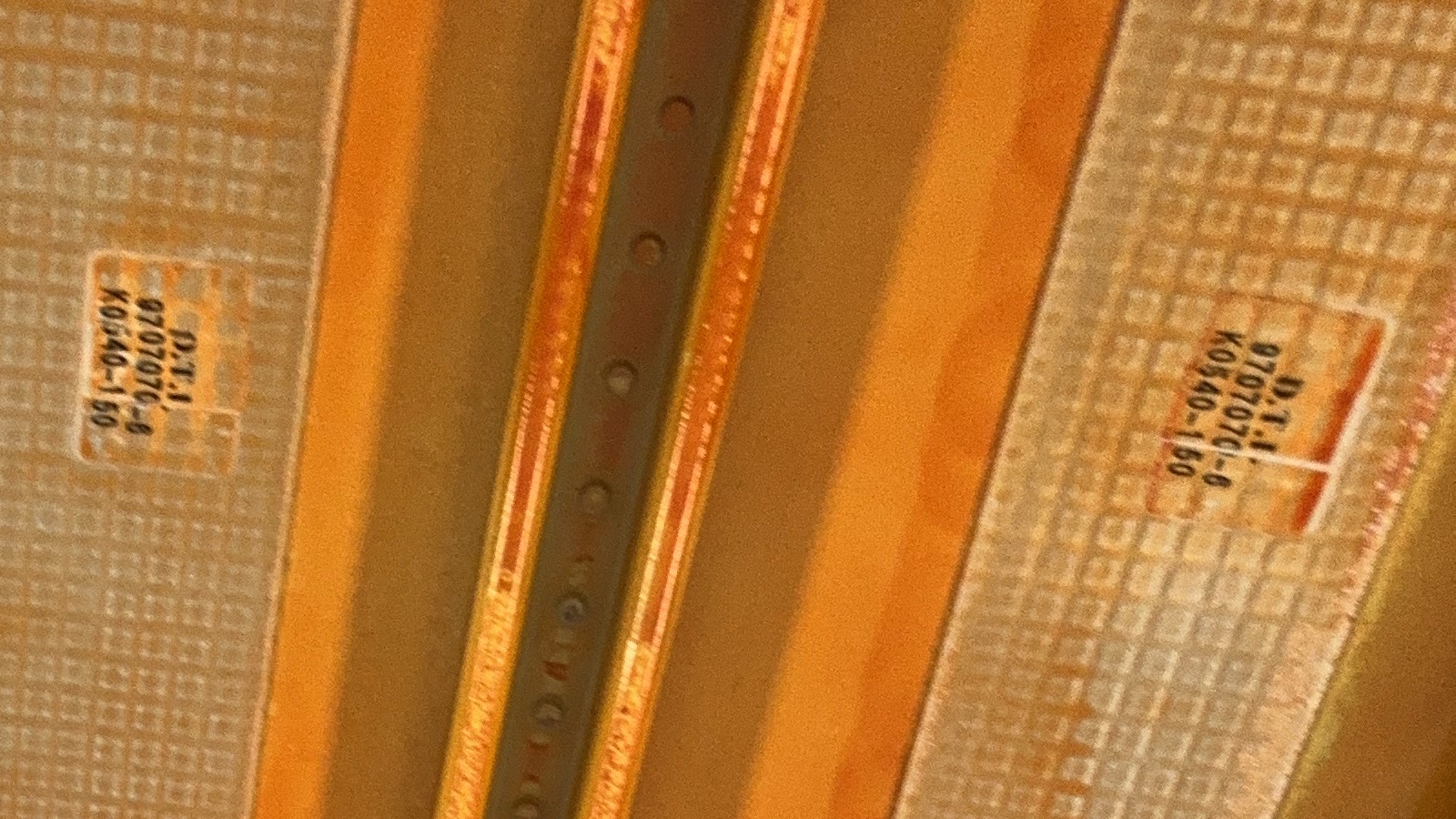
It resolves what a scan cannot. Each photo in our sets is 3024 x 4032 pixels. At that resolution
the part markings stencilled on a skin panel can be read. Those markings are what tie a physical
piece of metal to its record, and a part without an identity cannot be reused.
It knows where it was. The phone records its own position and orientation with every photo. In
RadianceView each photograph appears at the point in space it was taken from, next to a 3D model of
the section it shows. A photo is no longer "somewhere in the forward fuselage". It has a place.
It reaches. Behind a frame, inside a wheel well, up against the crown of the fuselage: a phone
goes where a scanner on a tripod or a pole does not.
It needs no specialist. The person who knows the aircraft best is the one taking it apart. The
capture app asks them to do what they already know how to do, which is take pictures.
It keeps the record current. The scan shows the aircraft on the day it was scanned. Phone
captures added afterwards show what has changed since.
From Capture to Record
RadianceView takes both kinds of capture through the same five stages.
| Stage | What happens |
|---|
| 01 Capture | 3D scanner for the whole asset, iPhone for the detail |
| 02 Process | Uploads are unpacked, converted and indexed with their camera positions |
| 03 Visualize | One photoreal reference at true scale, in a browser |
| 04 Analyze | Markers pinned in the splat, linked photo sets, measurements, AI inspection reports |
| 05 Report | One link to the record, with access control |
01 Capture and 02 Process
Six captures were uploaded in one day, the first and the last less than seven hours apart.
| Capture | Tool | What it shows |
|---|
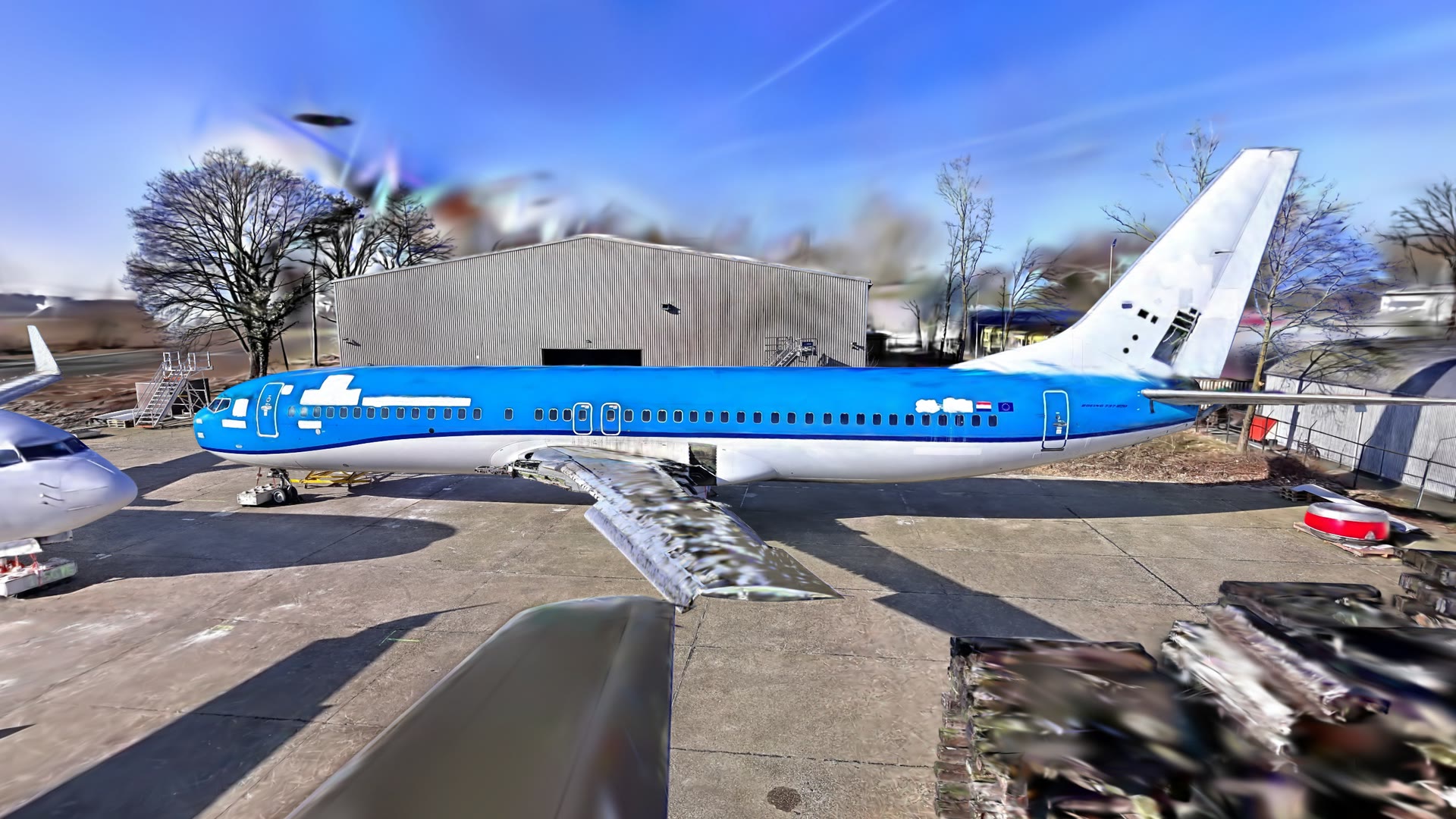
| Exterior | 3D scanner | The whole airframe on the apron |
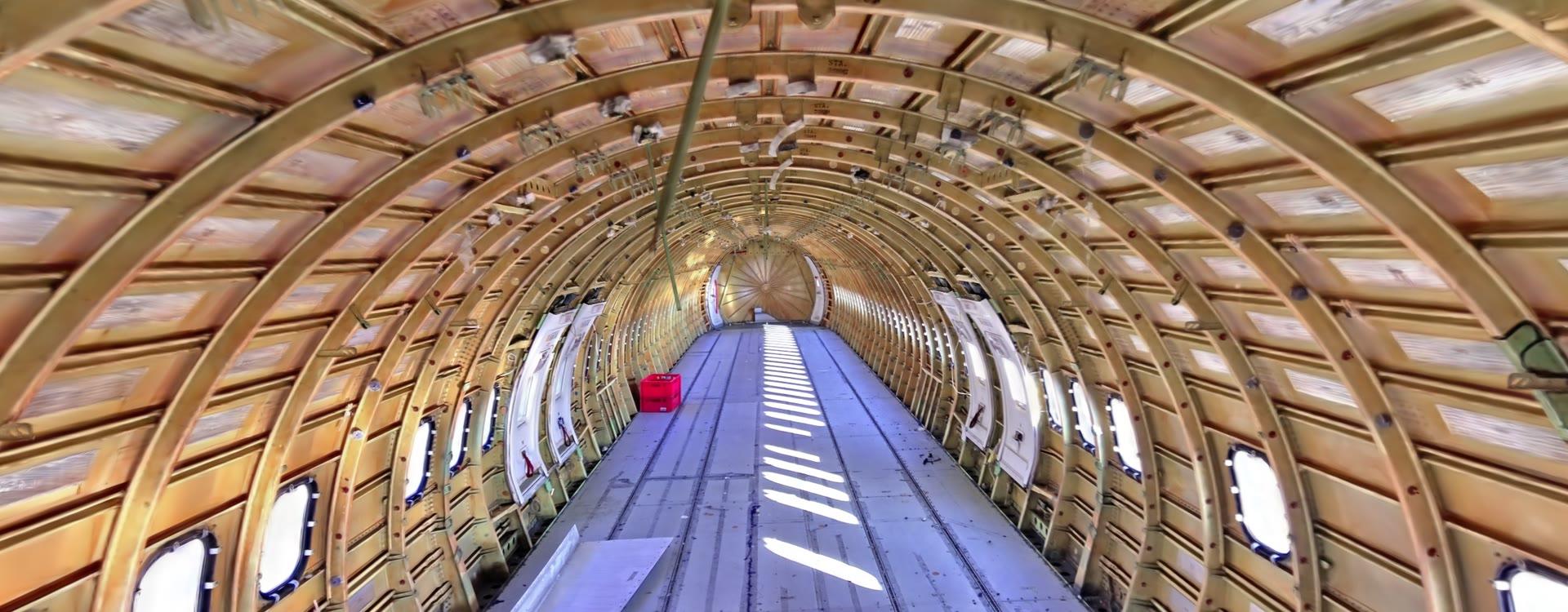
| Interior | 3D scanner | A fuselage stripped to its structure, flight deck to aft pressure bulkhead |
| Cabin interior | 3D scanner | A second aircraft with its cabin still fitted |
| Structure photo set | iPhone | 134 photos of a fuselage section, each placed in 3D |
| Landing gear detail | iPhone | Close-up sets of main gear |
Files never pass through the web server. The phone or the browser asks for a signed upload address
and sends the data straight to cloud storage. Photo archives, the largest of them 614 MB, are
unpacked on the server by streaming each entry from storage back into storage. Images are
converted, thumbnailed and indexed with the position each one was taken from.
03 Visualize
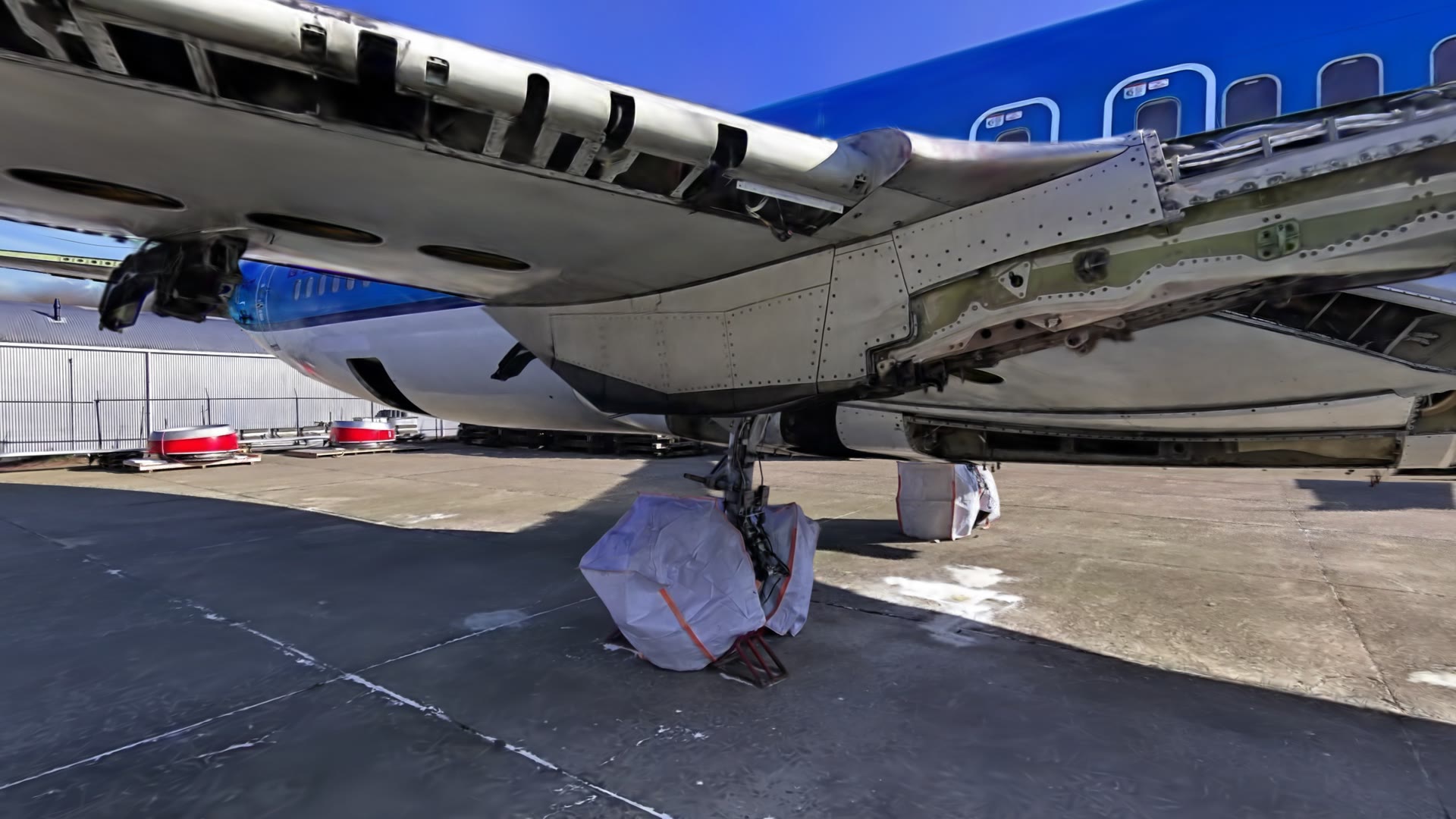
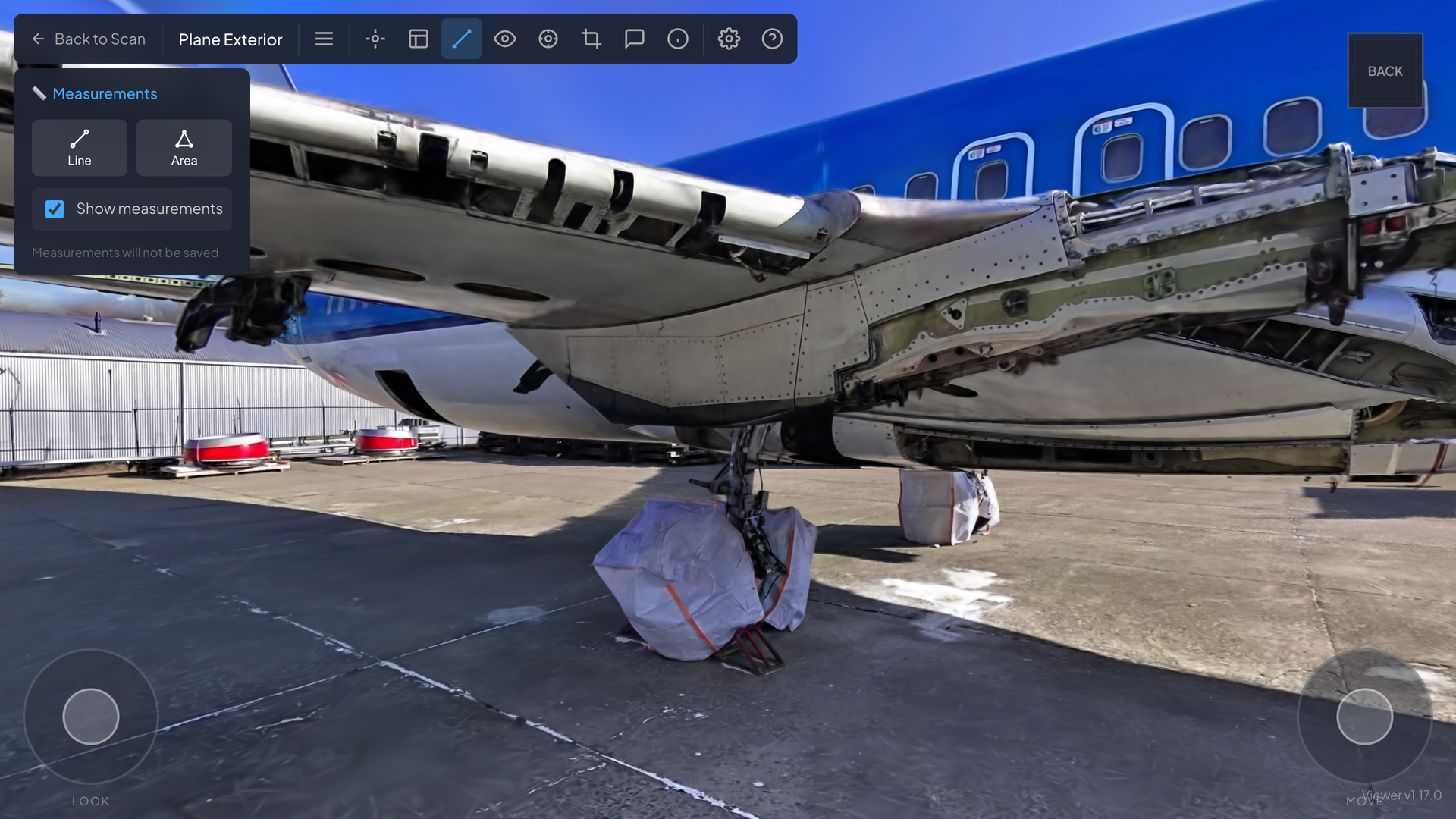
The exterior is one scene. You can look down on the airframe, drop to the apron and walk under the
wing to the main gear. A collision mesh of about 306,000 triangles loads with the splat, so you stop
at the fuselage instead of passing through it.
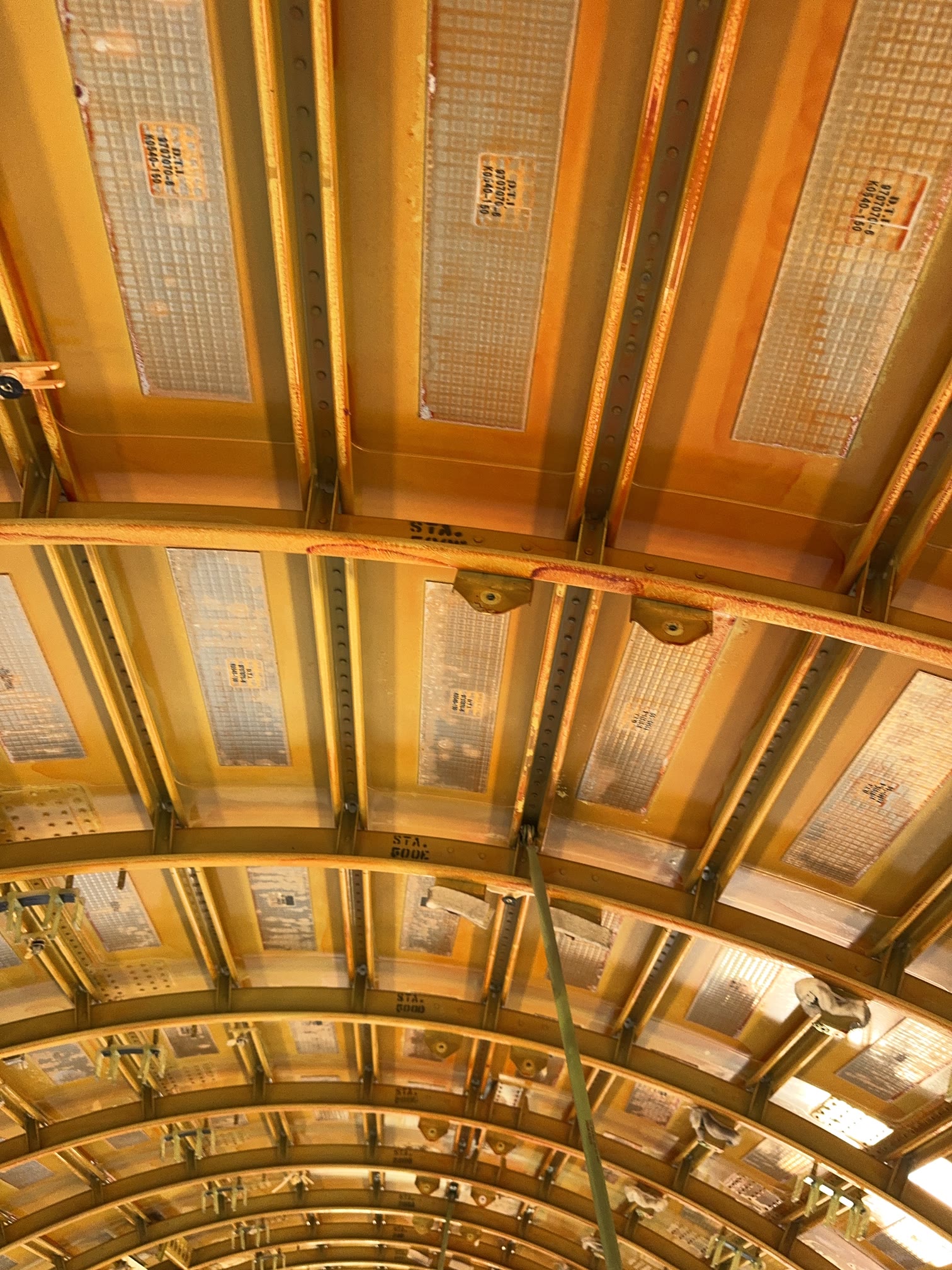
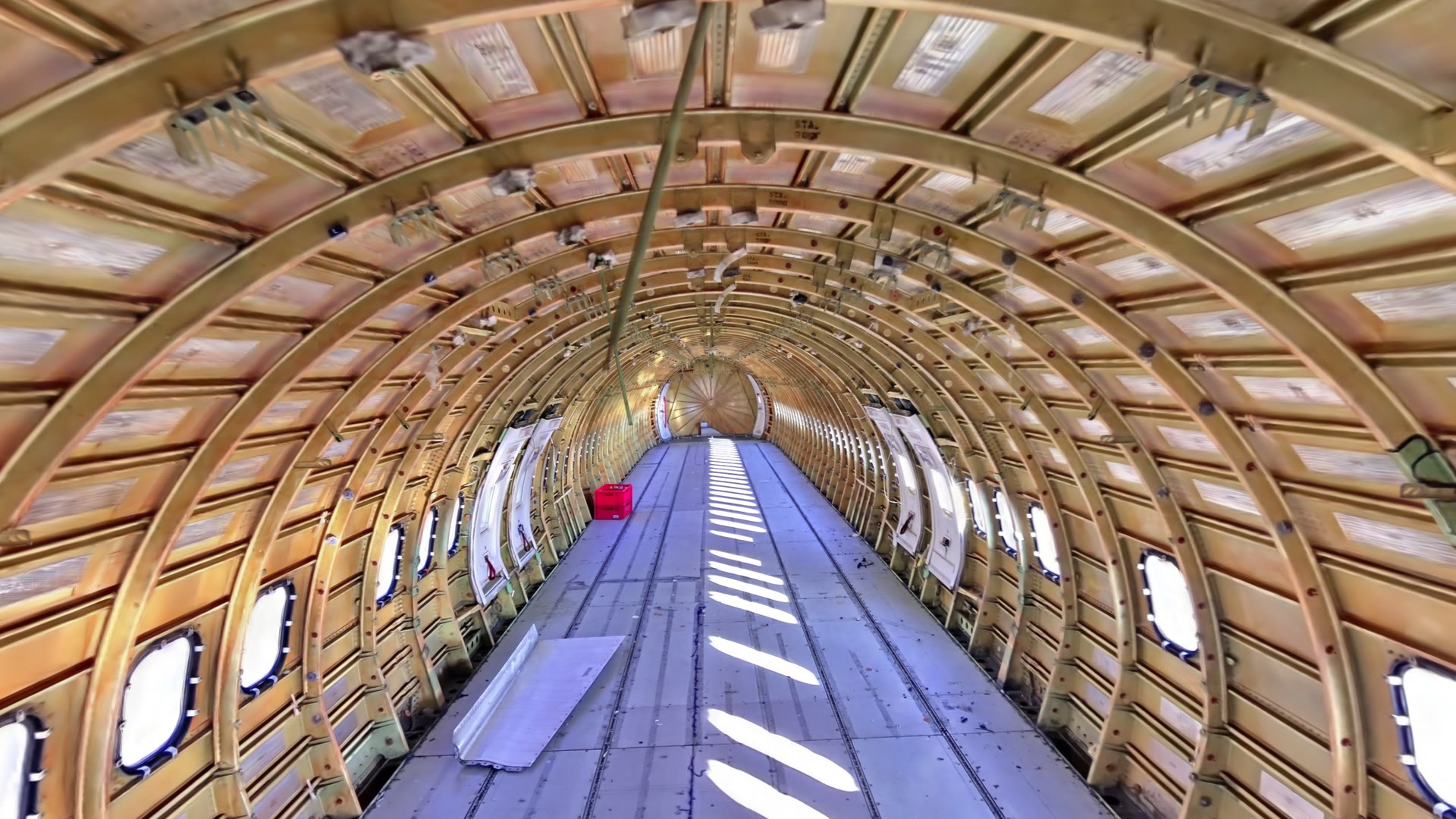
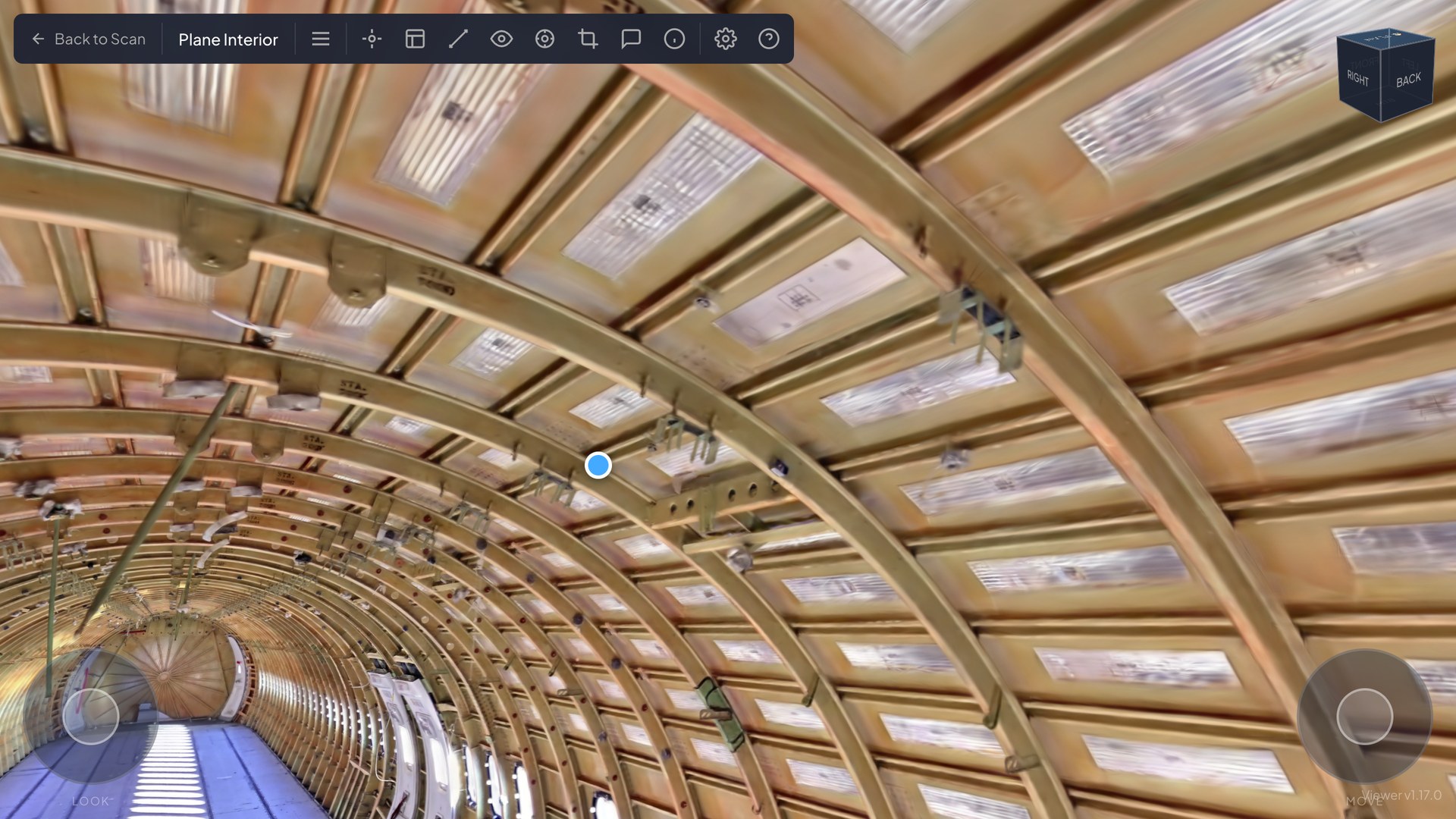
Inside, every frame, stringer and floor panel is visible. This is the material that remanufacturing
is about, and it is on record in the state it was in before anything was removed.
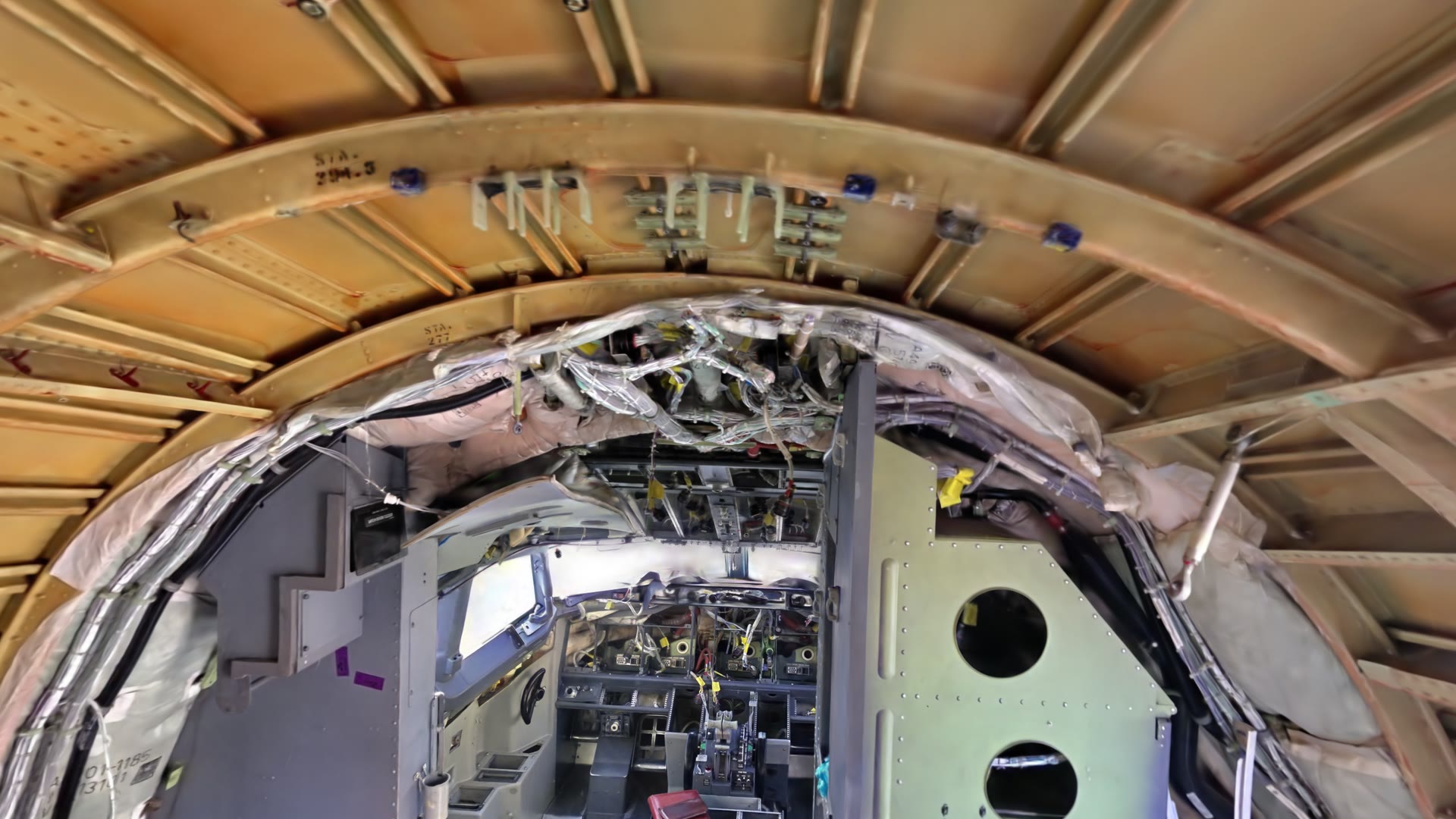
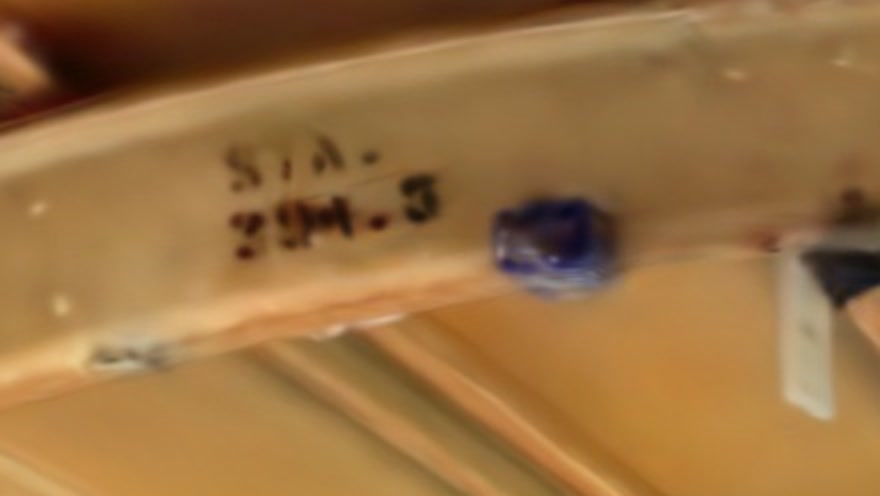
The station markings painted on the frames are part of the scan and can be read in it. The second
image below is a crop of the scene, not a photograph.
04 Analyze: From the Splat to the Photograph
A splat shows where everything is. A photograph shows what condition it is in. RadianceView ties
the two together, so an engineer can go from the whole aircraft to a single part marking without
leaving the record.
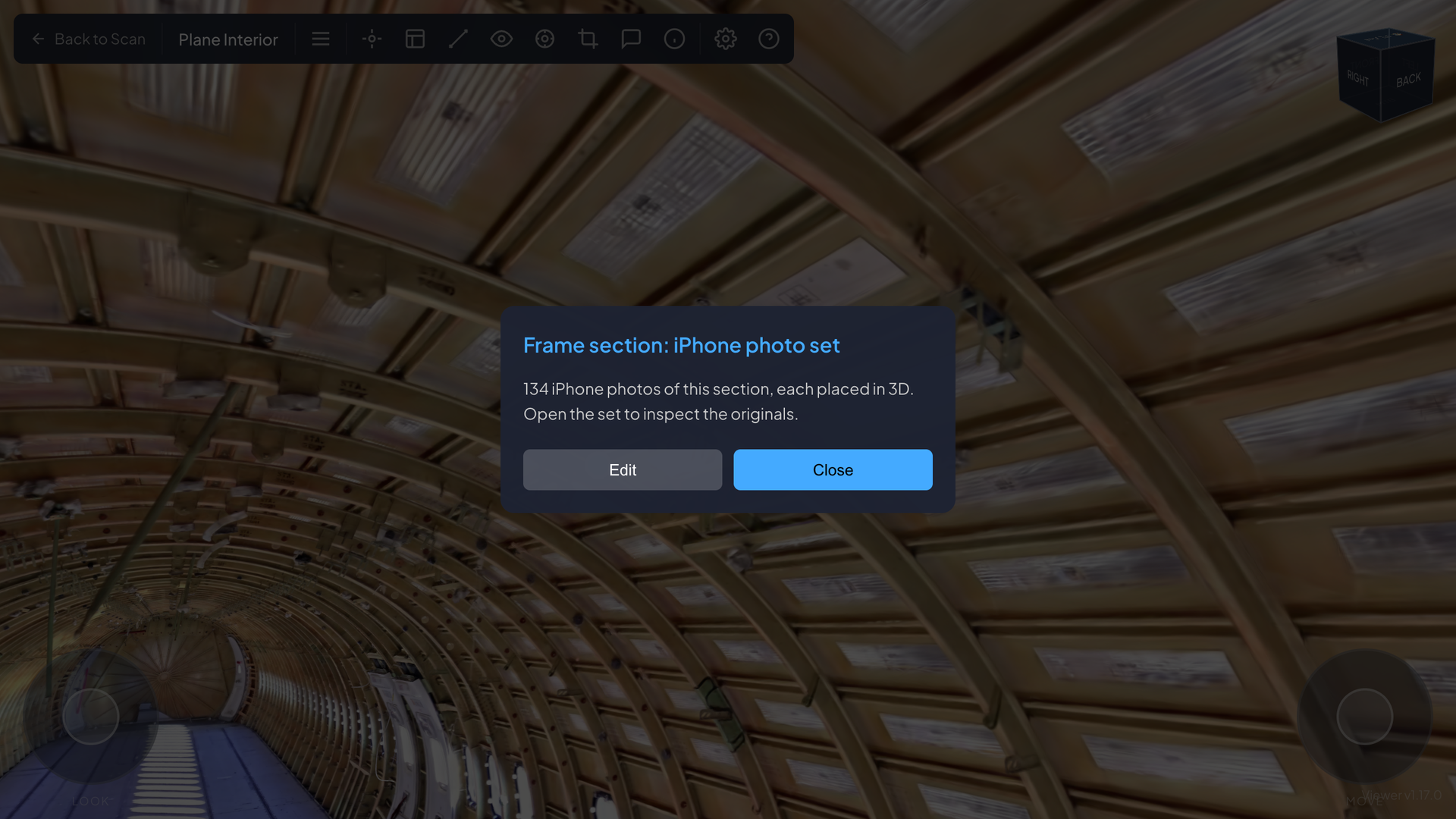
Pin what matters. A marker is placed on a fuselage frame in the interior scan. It is saved with
the scan, carries a title and a note, and links to the iPhone capture of that section.
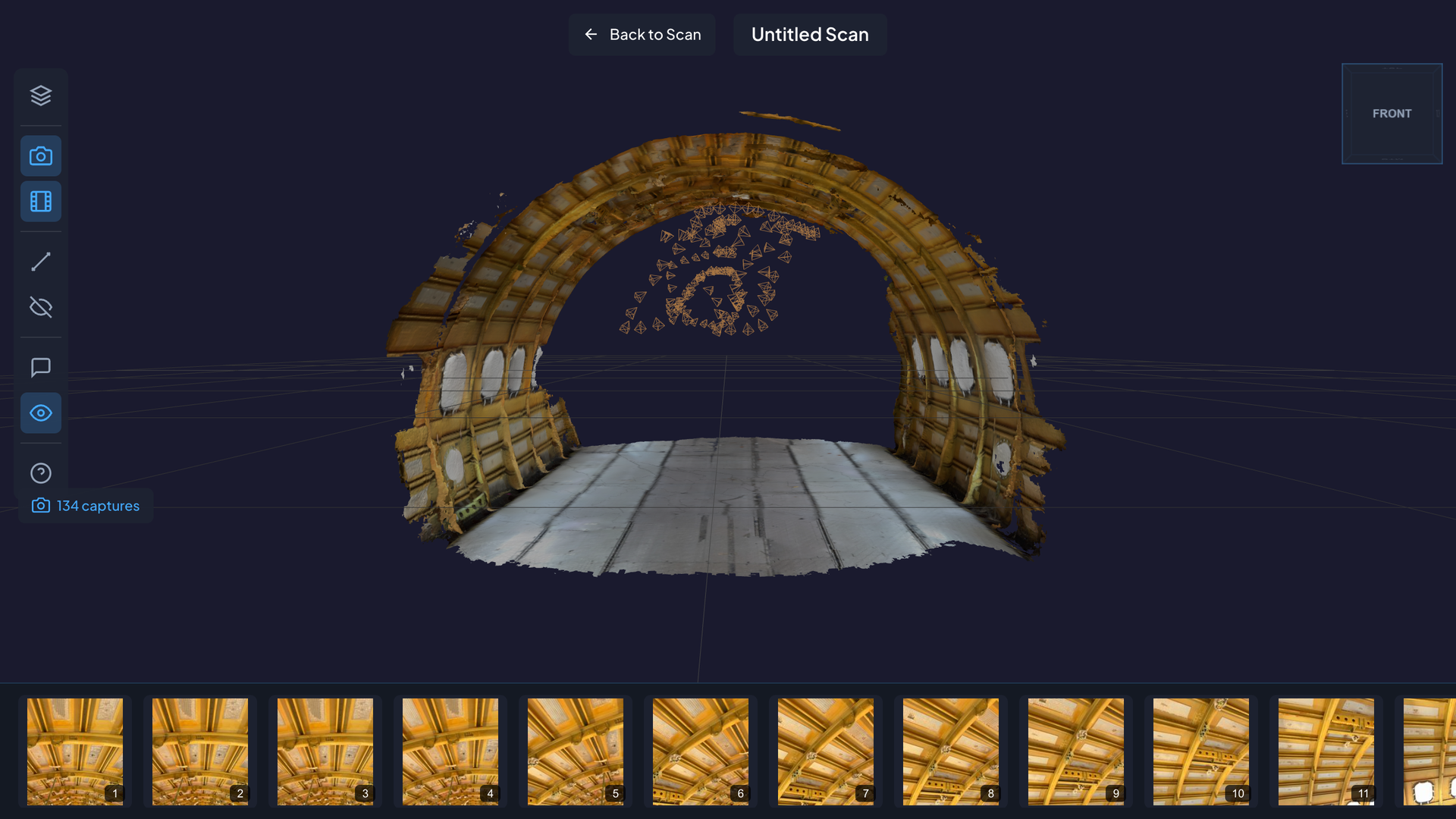
Open the photo set. The iPhone capture opens as a model of the section with the photographs
that produced it. Each small marker inside the model is the position the phone was in when a photo
was taken. Select a marker and its photo is found in the strip below.
Inspect the original. Each photo opens at full resolution, which is where the part markings
shown earlier are read.
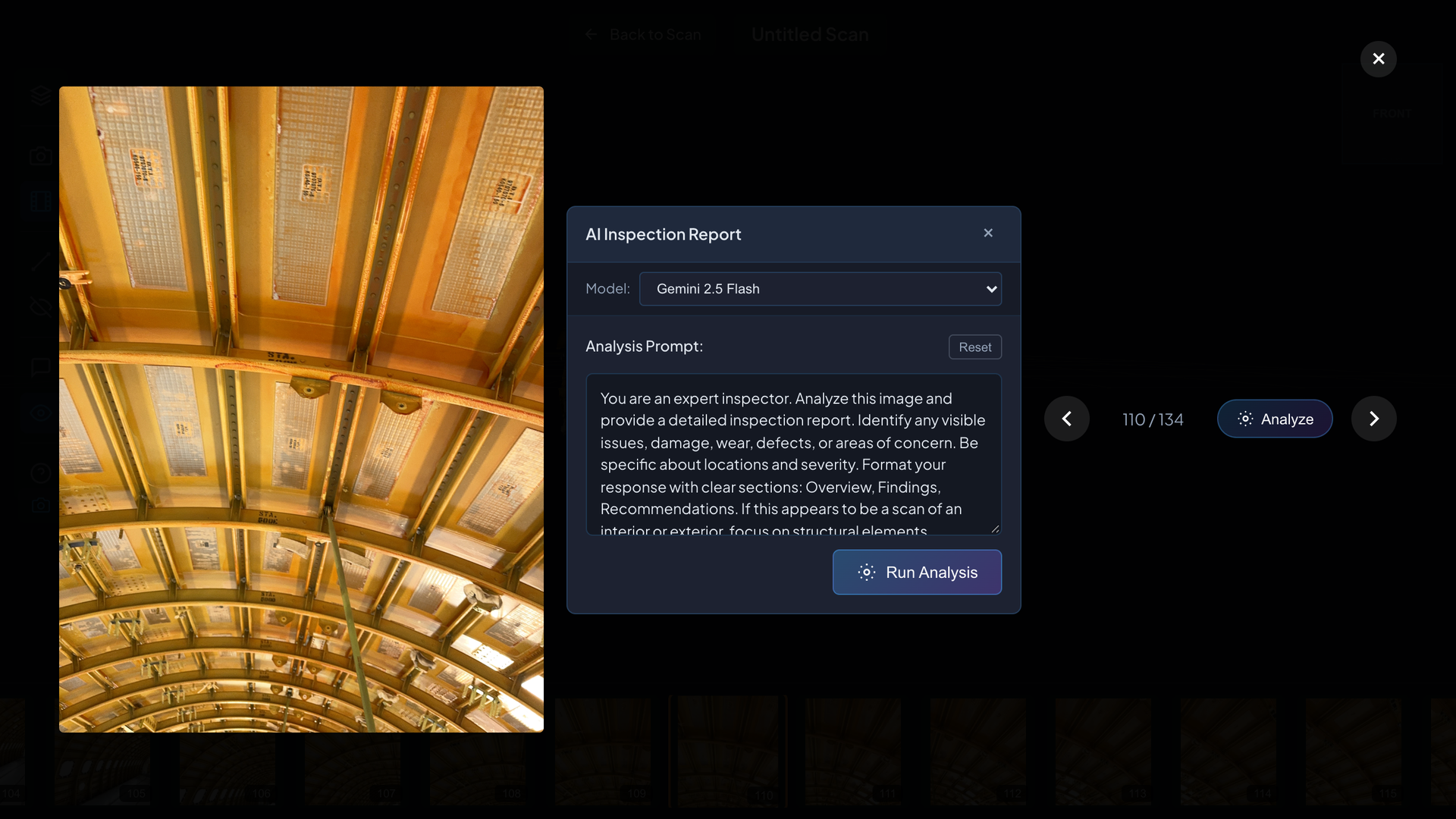
Ask for a report. On any photo, an engineer can request an AI inspection report. A multimodal
model describes what is in the image and lists findings with their location and severity, followed
by recommendations. The prompt can be edited, the report can be corrected by the engineer, and the
result is saved with the photo it describes.
Measure. Point-to-point distance and area are taken directly on the scene, in the splat viewer
and in the photo set viewer. For remanufacturing that answers a practical question early: is this
panel large enough to cut the new part from?
05 Report
The output is a link. Each organization, project and capture can be private, unlisted or public,
with an optional password, and visibility is inherited from organization to project to capture. The
recipient opens a browser. There is nothing to install.
Every finding stays attached to the evidence it came from. A claim about a part that cannot be
traced back to a photograph or a position on the aircraft is an opinion. One that can is a record,
and a record is what a part needs to have a second life.
Results
- Documented before dismantling. The aircraft is on record as it stood, inside and out.
- Six captures online in a day. Two aircraft, exterior and interior, plus iPhone photo sets,
uploaded within seven hours.
- Context and detail together. A marker in the splat leads to 134 iPhone photos of that section,
each placed in 3D, each available at full resolution.
- Part identity preserved. Stencilled part markings and station markings can be read from the
record.
- Inspection from anywhere. Engineers who assess parts for reuse do not have to travel to the
aircraft.
How It Is Built
- Capture: 3D scanner for splat scenes; iPhone capture app, uploading through a token-based API
- Frontend: SvelteKit, three.js, LCC Web SDK for splat rendering
- Backend: Firebase App Hosting, Firestore, Firebase Authentication
- Storage: Google Cloud Storage, signed URLs, ranged streaming of splat data by level of detail
- Processing: GPU workers for splat training, reporting progress over a signed webhook
- Analysis: multimodal models for inspection reports, selectable per organization
- Security: all data access goes through the API; database and storage rules deny direct client
access; an automated suite of more than 80 authorization checks confirms that one organization
cannot read another's data
- Quality: 253 unit tests and an end-to-end upload test
Where Else It Applies
The same approach applies wherever an asset has to be understood before it is changed, and where
the people deciding are not the people on site:
- Aerospace and MRO: part condition records, provenance, remote pre-purchase inspection
- Automotive and manufacturing: end-of-life vehicles, equipment and line documentation
- Infrastructure: condition records that can be compared over time
- Construction and demolition: as-built capture and material inventories before strip-out
- Insurance: loss documentation that can be revisited after the site has changed
About This Project
RadianceView is designed and built by Laan Labs, from the iPhone capture pipeline and upload API to
the viewers and the analysis tools. It draws on our years of work in 3D capture, including 3D
Scanner App. The approach is described in our earlier case study on
Rapid Inspection and Documentation.
See the product at radianceview.com. To talk about an inspection or
documentation project, contact us or email labs@laan.com.
Technologies Utilized
Gaussian Splatting, LiDAR, iPhone capture, Multimodal LLMs, three.js, WebGL, SvelteKit, Firebase,
Google Cloud Storage, RunPod
More RadianceView Case Studies
Aircraft are one of several kinds of asset documented with RadianceView, alongside galleries,
buildings, stores and equipment. Read the other
case studies on radianceview.com.